I have a real problem where I keep a thread of chat going for too long, and then either I lose track or the LLM’s responses get a bit hazy and confused. I wanted to create an app to be able to keep track of branching conversations with an LLM. I thought it’d be a good experiment to help me understand how to build context for LLM inputs, and also to get some practice using Vercel’s AI SDK.
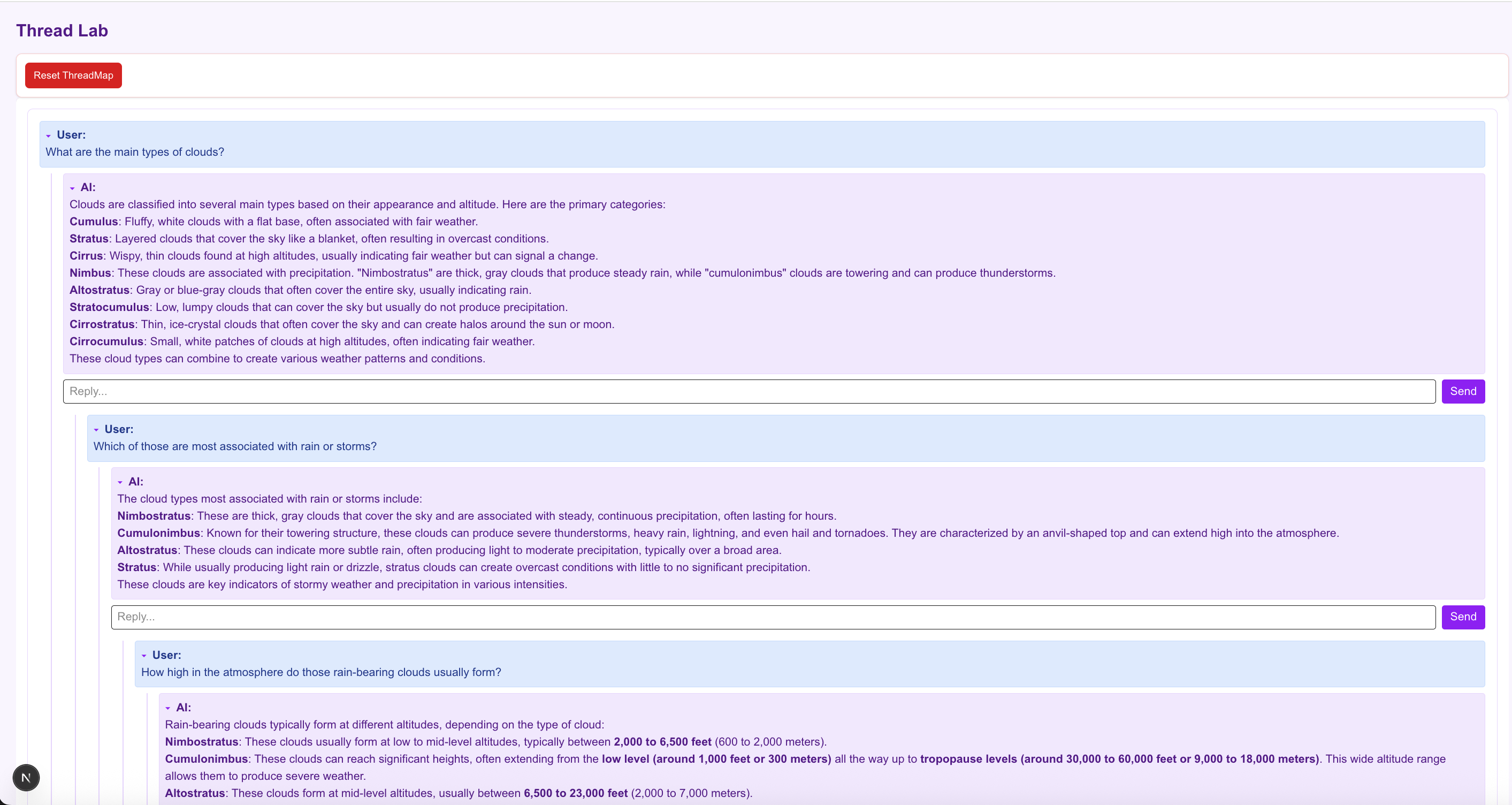
The thread map app is building a nested conversation graph. Each branch tracks through the tree to build a single conversation context, which can split when the same input box is used twice. Just to be really clear, here’s a screenshot from my notes app of a conversation I used to test it. You can see that the branch splits into two threads at inputs 4 and 5.
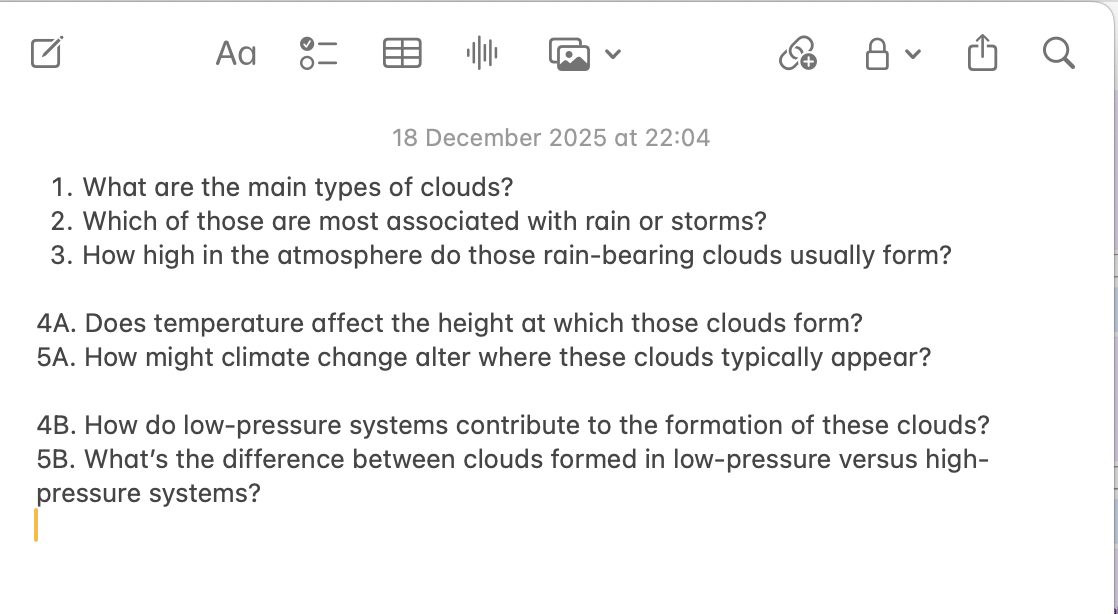
I needed to be able to show this visually in my (very basic, sorry) UI. I also needed to be able to track the right message history and then feed that in as context to an AI query. After a couple of iterations I worked out that I needed to split my state into three different objects:
Threads
Threads are just a handy way to keep track of each conversation tree. The first input to a new conversation becomes the root node of a new thread, and all branches will flow from there. Each thread is based on a new topic, stemming from a root node (this one is on clouds), and each thread is displayed in its own visual panel in the UI.
Sessions
Sessions exist to reconstruct the context for the LLM call. Chat threads will branch at different points, and each new input to the LLM will need to track the conversation up to that point.
A session tracks the branches of the tree, and it represents one complete branch that goes all the way through a conversation thread. A new session is created every time a conversation branches; if you look at the diagram, you can see the first AI response has had two separate queries submitted to it. This second query to the same response forces the conversation to branch, and a new session ID must be created to track this new branch. Session 1 and Session 2 share the same initial user input and AI response, so this history is copied and added into Session 2. Session 1 and Session 2 are identical until this point of branching, and then they continue along separate paths of the conversation.
All the messages in a single session are submitted as context in a new AI query, so the purpose of a session is to keep the conversation context organised.
.png)
New sessions created as a conversation branches
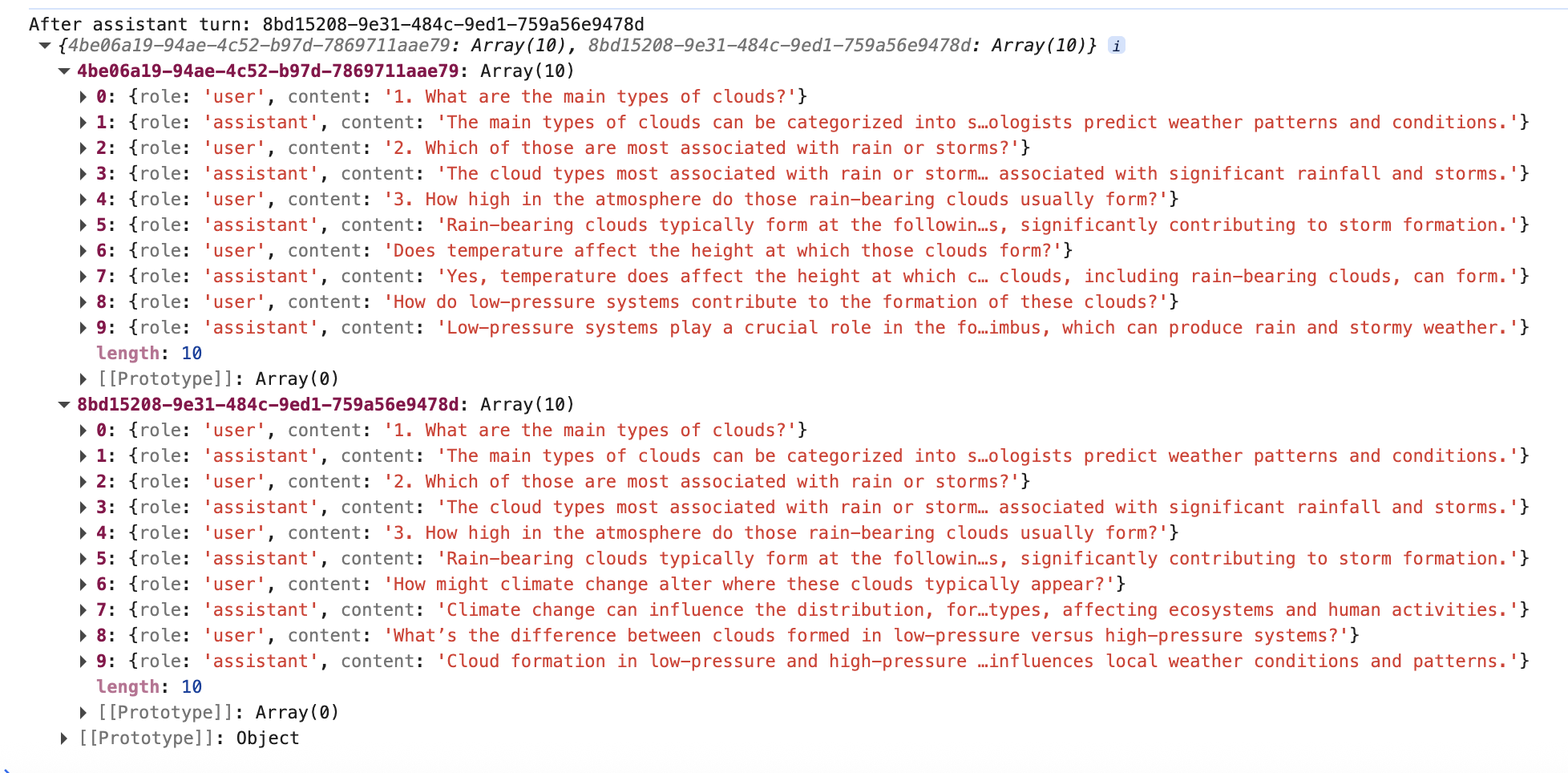
A screenshot of the current state of two sessions within the same conversation thread. They both ask about height in the atmosphere for rain-bearing clouds, and diverge from there.
Nodes
A node is just a visual representation of one query or response. Each node has either an ‘assistant’ or ‘user’ role, and they track their sessionIds, their child and parentIds, the text they’re supposed to display, etc.
The chat threading works like this:
- When you type in an input, first it calls the beginUserTurn to create a new node displaying the user input.
| |
- The beginUserTurn function resolves the correct sessionId for this new input; if the parent AI response node hasn’t already had a user input, then it can continue with the same session ID as normal.
- If there has already been an input to this node, then we need to branch the conversation and create a new session. The app uses the current node’s parent ID to track back through the session and collate all the previous messages that need to go into the new session. Then we build a new session from this message history.
| |
- Next we add this new input to the correct session, and then finally create a new node element to show in the UI.
- The next step is to submit the new query and the right message history to the AI model. This app uses the callAIStream function in Vercel’s SDK. The idea of this method is that we have to create a visual node element first, and then we can use the streaming function to add the AI response, chunk by chunk as it arrives.
- We already know the correct session by the time we get to this response, so all that’s left to do is append the AI response.
| |
The real design problem here was to figure out how to separate the source of truth for messages, and the UI component to display them. I needed the message history to be flexible enough to create a different, specific context for each AI request. I didn’t want every node to have to keep track of every message in its history; it made sense to compute a session path.
It’s a useful project for practicing with Vercel’s AI SDK, especially for understanding how to be very clear when building the context for your request, and understanding how existing conversation tools compute context. It was interesting too for modelling a conversation as a branching tree instead of a linear chat log.
Last modified on 2026-03-09